Here's something that'll surprise you: I've watched friends rage-quit on 500 Mbps connections while my neighbor's kid dominates lobbies on a 50 Mbps plan. Your ISP loves pushing those gigabit packages, but here's what they won't tell you—most online games sip bandwidth like a hummingbird. We're talking 40-150 MB per hour. That's less data than watching cat videos on YouTube.
So why do some players rubber-band across the map while others glide smoothly? It's not about the speed your ISP splashes across their billboard. What actually matters is connection quality, how fast data makes the round trip (not just how much fits through the pipe), and whether your teenage sister is uploading her entire photo library to the cloud while you're mid-match.
A standard gaming session burns through maybe 0.5-2 Mbps of steady bandwidth. Yet players with 200+ Mbps deals get destroyed by lag. Meanwhile, someone on a basic plan cruises through ranked matches without a hitch. The secret? It's not in the number. Never has been.
Minimum Internet Speed Requirements by Game Type
Different games treat your internet connection like different types of houseguests. Turn-based strategy titles are the polite ones—they knock, wait patiently, and send tiny data packets every few seconds. Battle royales? They're the chaotic friend group that shows up all at once, demanding constant attention and tracking everyone's movements simultaneously.
Casual and Single-Player Games: Stardew Valley, Civilization VI, or most indie games with basic online features barely touch your bandwidth. 3-5 Mbps gets the job done. These titles either connect peer-to-peer or ping servers so infrequently you could probably game on a potato-powered connection. They're not processing 100 simultaneous player positions—just checking cloud saves or syncing turn data.
Competitive Multiplayer (FPS, Fighting Games): Now we're getting spicy. Counter-Strike 2, Valorant, Street Fighter 6—these demand precision. You need 5-10 Mbps bare minimum. I'd push for 15-25 Mbps though, because that extra cushion covers Discord voice channels, anti-cheat software pinging servers every few seconds, and those moments when your router gets hammered by network traffic. Competitive games don't forgive congestion.
Battle Royale and Large-Scale Multiplayer: Fortnite, Apex Legends, Warzone—these are bandwidth hogs by comparison. 10-15 Mbps minimum, but honestly? Spring for 25-50 Mbps. During those initial drops when 100 players load into the map simultaneously, servers are juggling position data for everyone. Server tick rates go crazy, and player density creates traffic jams. You want headroom here.
MMOs and Persistent World Games: World of Warcraft, Final Fantasy XIV, and Lost Ark cruise along nicely on 5-10 Mbps during solo questing or small dungeons. But join a 40-player raid? Your connection suddenly has to track dozens of spell effects, character positions, boss mechanics, and environmental triggers. Bump that to 25-40 Mbps unless you want slideshow mode during the fun parts.
Cloud Gaming Services: This category breaks every rule I just mentioned. GeForce NOW, Xbox Cloud Gaming, PlayStation Plus Premium—these aren't sending game data. They're streaming pre-rendered video to your screen, basically Netflix for games. 15-25 Mbps for 1080p quality, 35-50 Mbps if you want 4K. Completely different beast.
Game Type
Minimum Mbps
Recommended Mbps
Examples
Casual/Turn-Based
3-5
10-15
Stardew Valley, Hearthstone, Civilization VI
Competitive FPS/Fighting
5-10
15-25
Valorant, CS2, Street Fighter 6, Rocket League
Battle Royale
10-15
25-50
Fortnite, Apex Legends, PUBG, Warzone
MMO/Persistent World
5-10
25-40
WoW, FFXIV, ESO, Lost Ark
Cloud Gaming
15-25 (1080p)
35-50 (4K)
GeForce NOW, Xbox Cloud, Luna
That "recommended" column? It's accounting for real life. Your connection running at 100% capacity will choke. Packet loss happens. Jitter creeps in. Other devices steal bandwidth. You need breathing room—always.
Why Latency Matters More Than Speed for Gaming
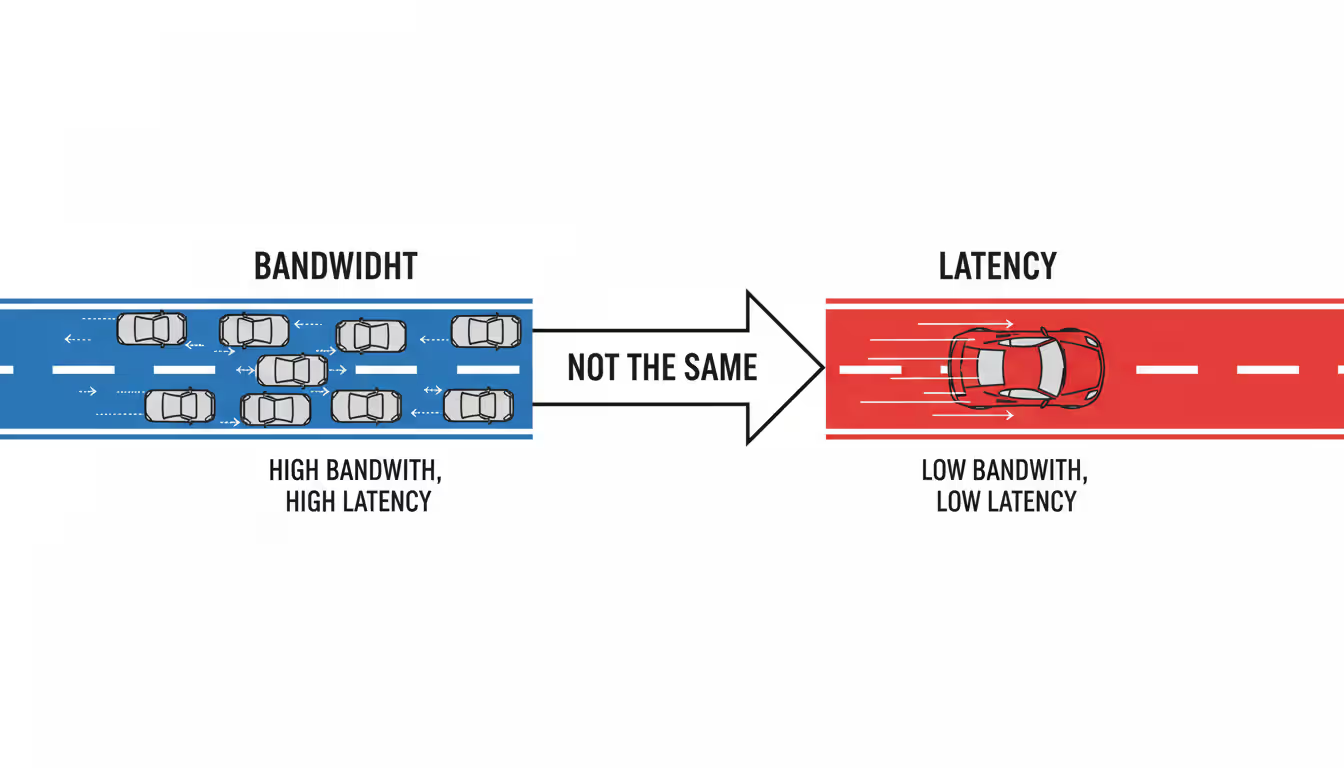
Bandwidth tells you how much data flows. Latency tells you how fast it travels. For gaming? That second number is everything. I'll take 25 Mbps with 20ms ping over 500 Mbps with 80ms ping any day of the week, and so would every pro gamer you ask.
Understanding Mbps vs Ping in Online Games
Picture a highway. Bandwidth is the number of lanes. Latency is the speed limit. You can have 10 lanes (tons of Mbps), but if traffic crawls at 20 mph (high latency), everyone arrives late. More lanes don't fix slow traffic.
You hit a button in-game. Your machine packages that input—usually 50-100 KB—and fires it toward the game server. The server processes your action, updates what's happening, and sends back fresh data. That entire journey, start to finish, gets measured in milliseconds. We call it ping. 30ms ping means 30 milliseconds for the whole trip.
Modern games fire off 30-60 packets every second during active play. Each one carries position updates, input commands, status changes. A 100 KB packet on a 10 Mbps connection transmits in roughly 0.08 milliseconds. Barely registers. The 20-50ms spent hopping through network infrastructure? That's where time gets eaten.
Here's the reality check on latency: - 0-20ms: You're living the dream. Pro players fight for this range. - 20-50ms: Buttery smooth for everything, including competitive ranked matches. - 50-80ms: Still playable for most titles. Competitive players start feeling input lag though. - 80-120ms: Casual gaming works. Fast shooters become exercises in frustration. - 120ms+: Massive disadvantage in anything real-time. Stick to turn-based games.
Author: Tyler Vance;
Source: canelomobile.com
What Causes High Ping During Gaming
Physics sets your baseline. Electrical signals through fiber optic cables have speed limits. New York to Los Angeles? You're looking at minimum 40-50ms no matter what package you buy. Data can't teleport.
Your ISP's infrastructure adds another layer. During prime time—7-11 PM when everyone's streaming—congestion at network nodes tacks on 10-30ms. How your ISP connects to backbone networks (their peering agreements) determines whether your packets take the scenic route through three extra hubs or zip straight through.
WiFi dumps 5-20ms of extra delay compared to plugging in an ethernet cable. Worse? WiFi introduces jitter—latency that bounces around. One second you're at 30ms, next you're at 65ms, back to 35ms. That inconsistency feels worse than stable 60ms because your brain can't adjust to the rhythm.
Your router adds overhead too. NAT translation, firewall rules, quality-of-service processing—all this adds 2-10ms. Cheap routers with wimpy processors absolutely fall apart when managing 15 simultaneous connections. Lag spikes out of nowhere.
Then there's the stuff running on your computer. Windows Update downloading a 2 GB patch in the background will monopolize upload bandwidth, creating a queue for your outgoing game packets. Suddenly you're lagging even though Task Manager shows 50% bandwidth usage. The upload pipe got clogged, and gaming packets wait their turn like everyone else.
Download vs Upload Speed for Different Gaming Scenarios
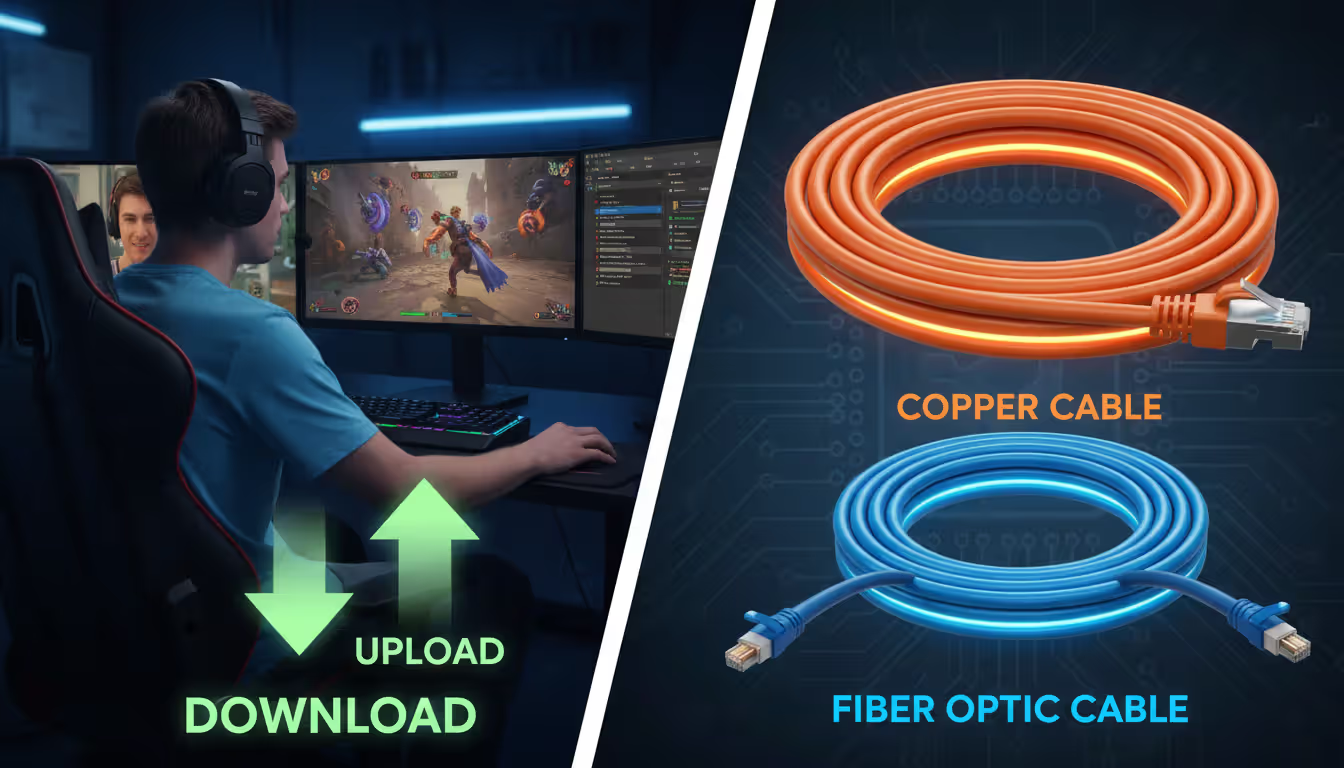
Most internet plans are lopsided—100 Mbps download paired with 10 Mbps upload is standard for cable. Gaming shoots small packets both directions pretty equally during matches, but certain activities hammer that upload pipe way harder than others.
Standard Online Play: Your average gaming session uses 0.5-1.5 Mbps download and 0.3-0.8 Mbps upload. The imbalance doesn't hurt you. Even 5 Mbps upload handles multiple gaming sessions without breaking a sweat.
Streaming While Gaming: Broadcasting to Twitch or YouTube needs 5-10 Mbps upload for 1080p at 60fps. Add gaming's upload needs on top? You need 8-12 Mbps upload minimum. I've watched streamers troubleshoot "lag" for hours, checking their 300 Mbps download, never realizing their 10 Mbps upload can't juggle the stream encoder, game packets, and Discord all at once. Dropped frames everywhere.
Voice Chat and Video Calls: Discord voice sips 0.05-0.1 Mbps—negligible. But hop on video? That's 1-3 Mbps upload per person visible on screen. Streaming to three friends while gaming in Discord video chat burns 4-5 Mbps upload before your game even factors in.
Game Downloads and Updates: Modern games are absolute units. 50-150 GB installations, with patches adding 5-20 GB regularly. Download speed is king here—100 GB takes 2.2 hours on 100 Mbps but only 22 minutes on gigabit. Upload speed? Totally irrelevant unless you're syncing cloud saves, which uses kilobytes.
Peer-to-Peer Games: Some fighting games, racing titles, and older Call of Duty entries use peer-to-peer networking. Your console becomes the host. When you're hosting a 6-player session, your upload speed determines everyone else's experience. You might need 3-5 Mbps upload for smooth hosting duties.
That lopsided speed situation hits content creators hardest. Cable serving up 500 Mbps download but only 20 Mbps upload creates nightmare bottlenecks if you're broadcasting. Fiber's matching upload/download speeds are a game-changer here.
Author: Tyler Vance;
Source: canelomobile.com
Fiber vs Cable Internet for Gaming Performance
Connection type affects consistency more than peak numbers. Steady 100 Mbps fiber with 15ms latency beats 300 Mbps cable that bounces between 25-60ms any day. Predictability wins.
Fiber Optic (FTTH - Fiber to the Home): You get a dedicated line running to your house. Symmetric speeds are standard—1000 Mbps up AND down. Latency typically sits at 10-25ms to regional servers. Minimal congestion because you're not sharing a neighborhood pipe. Performance stays rock-solid during Netflix prime time. Perfect for competitive gaming, streaming content, households juggling multiple users. The catch? Availability. Urban areas and newer suburbs mostly. Rural folks are often out of luck.
Cable (DOCSIS 3.1/4.0): Your neighborhood shares bandwidth on a trunk line. Translation? Evening slowdowns when neighbors binge The Office. Download speeds hit 100-1000 Mbps depending on tier, but upload gets capped at 10-35 Mbps on most packages. Latency runs 20-50ms under ideal conditions, spiking to 80-120ms when congestion hits. Modern DOCSIS 3.1 improved things significantly, but you can't escape the shared infrastructure reality. Works great for gaming at 2 PM on a Tuesday. 8 PM on Friday? Different story.
DSL and Fixed Wireless: Speeds max out around 25-100 Mbps based on how far you live from infrastructure hubs. Latency is all over the place—15-40ms if you're lucky, 60-100ms commonly. Handles gaming fine if you're the only person online, but falls apart with multiple devices streaming. Game downloads turn into overnight affairs.
Satellite (Starlink, HughesNet, Viasat): Old-school satellite services suffer from 500-700ms latency because signals travel to geostationary orbit and back. Competitive gaming on that? Forget it. Starlink's low-earth orbit satellites cut latency down to 25-60ms, making gaming actually viable. But weather messes with signal, and brief dropouts happen during satellite handoffs. Rural gamers without alternatives can make it work. Anyone with fiber or cable access should take those instead.
5G Home Internet: Latency bounces between 30-80ms depending on tower congestion and signal strength. Speeds fluctuate from 50-300 Mbps based on network load. Gaming works adequately most of the time, but expect consistency issues during peak hours—same problems cable has. Data caps pose the real threat here. Many plans throttle after 100-200 GB, and modern game downloads devour that quickly.
For competitive FPS games and esports, fiber's consistent low latency provides actual, measurable advantages. Network engineers studying player performance found fiber users showed 8-12% better reaction metrics compared to cable users. Not because of raw speed—because latency stayed predictable.
How Many Devices Affect Your Gaming Internet Needs
Bandwidth sharing transforms adequate connections into lagfests. 100 Mbps handles gaming easily solo. Add three family members streaming 4K (25 Mbps each), smart home gadgets (2-5 Mbps total), and automatic cloud backups (5-10 Mbps), and your gaming packets are fighting for scraps at the bottom of the priority list.
Streaming Video: 4K Netflix eats 25 Mbps. HD runs 5-8 Mbps. SD uses 3 Mbps. Two people watching 4K content consume 50 Mbps before you even launch the game.
Video Calls: Zoom HD video per participant uses 2-4 Mbps. Your parent on a work call with screen sharing can pull 5-8 Mbps easily.
Smart Home Devices: Security cameras uploading to cloud storage continuously use 1-2 Mbps per camera. Smart speakers, thermostats, lightbulbs, doorbells—the whole ecosystem adds 1-3 Mbps combined in a typical setup.
Background Updates: Phones, tablets, laptops, consoles—everything updates automatically now. Windows Update alone grabs 10-40 Mbps when pulling major patches. Steam defaults to background updating, potentially consuming 20-50 Mbps while you're supposedly "just gaming."
Cloud Storage Sync: Google Drive, Dropbox, iCloud Photos—they upload in the background constantly. A phone backing up 2 GB of photos monopolizes upload bandwidth for 20-30 minutes on a 10 Mbps upload connection. You won't see it in Task Manager, but you'll feel the lag.
Quick math: multiply active users by 25 Mbps for comfortable breathing room. Four-person household needs 100 Mbps minimum, realistically 200-300 Mbps to avoid bandwidth wars during prime time. Five or more people? 400-500 Mbps plans make sense.
Upload speed flies under the radar but matters enormously. Three people on video calls simultaneously while you game? That's 12-15 Mbps upload before counting your game traffic. Cable plans with 10-20 Mbps upload create bottlenecks right there. Fiber's symmetric speeds eliminate the problem entirely.
Author: Tyler Vance;
Source: canelomobile.com
Optimizing Your Connection for Better Gaming Performance
Having sufficient speed means nothing if your setup adds unnecessary delays or drops packets. Small tweaks often improve gaming performance more dramatically than upgrading to a faster tier.
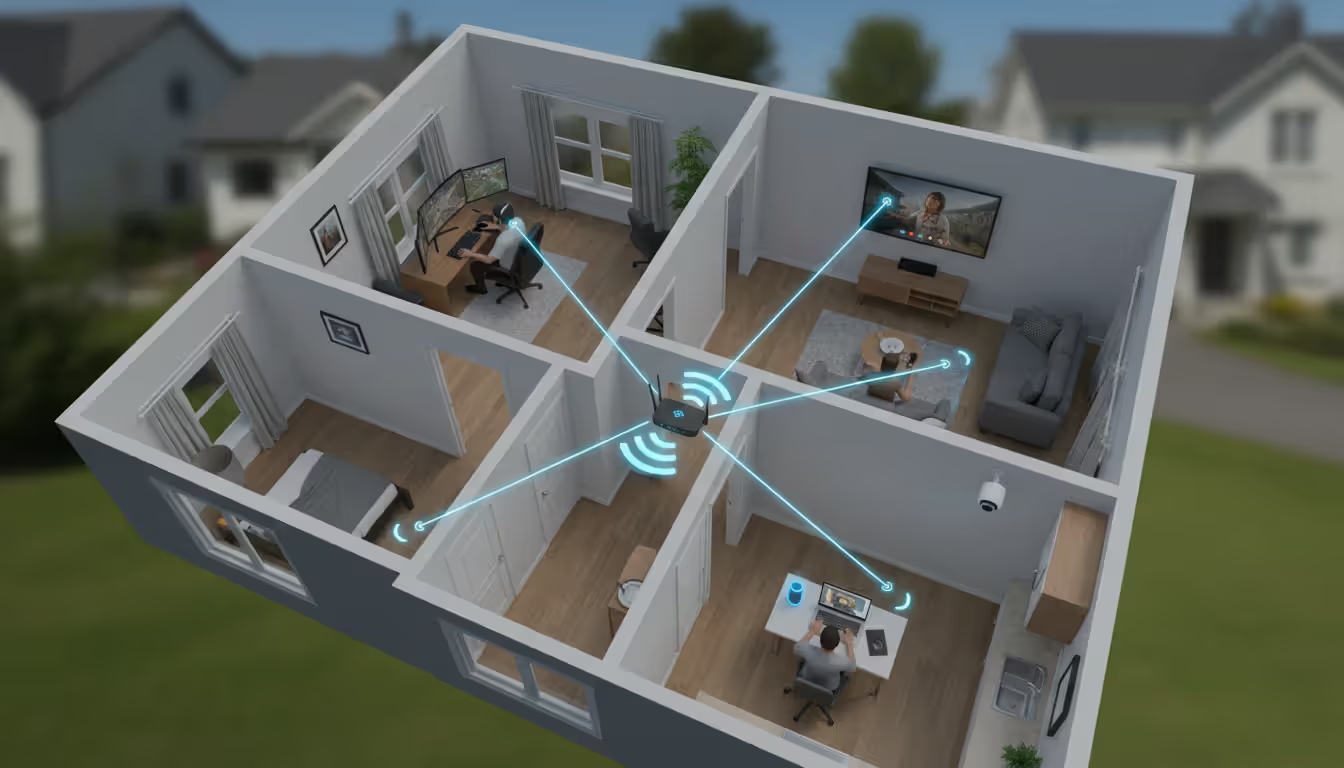
Wired vs WiFi: Ethernet cables eliminate 5-20ms of WiFi latency and remove jitter completely. WiFi 6 and 6E improved wireless performance significantly, but physics still favors cables for stationary gaming rigs. If WiFi is your only option, keep your gaming device in direct line-of-sight to the router and use 5GHz bands—they deliver lower latency than 2.4GHz despite covering less distance.
Router Quality and Placement: Budget routers from your ISP often create bottlenecks nobody thinks about. Underpowered processors struggle managing multiple connections, introducing random latency spikes. Gaming-focused routers with beefier processors and more RAM handle traffic flow more efficiently. For placement, central locations minimize WiFi distance. Don't stuff routers in basements or closets where signals penetrate multiple floors and walls.
Quality of Service (QoS) Settings: Modern routers let you prioritize gaming traffic over everything else. Configure QoS to give your gaming device or specific game ports top priority. Game packets transmit immediately even when someone fires up a 4K stream. Without QoS, your router treats Netflix and your ranked match as equals. Spoiler: Netflix wins the bandwidth fight.
Background Download Management: Disable automatic updates during gaming windows. Steam, Epic Games, Xbox, PlayStation—all have settings preventing background downloads. Schedule Windows Update for specific off-hours. Cloud backup services should sync overnight, not continuously while you play.
DNS Optimization: Your ISP's default DNS servers might route traffic inefficiently or respond slowly. Switching to Cloudflare (1.1.1.1), Google (8.8.8.8), or gaming-optimized DNS can shave 5-15ms off latency. Some gaming VPNs offer optimized routing that actually reduces ping by finding more efficient network paths to game servers.
Port Forwarding and UPnP: Proper NAT configuration prevents packet delays. Enable UPnP (Universal Plug and Play) on your router or manually forward ports specific to your games. Strict NAT types force your router to work harder managing connections, adding 10-30ms latency in the process.
Network Adapter Drivers: Outdated drivers cause performance issues nobody troubleshoots. Update ethernet and WiFi drivers directly from the manufacturer's website rather than relying on Windows Update, which consistently lags behind current versions by months.
One factor everyone ignores: thermal throttling. Routers shoved in enclosed entertainment centers or near heat sources overheat. Processors slow down to prevent damage, introducing latency. Adequate ventilation around your router maintains consistent performance.
The biggest misconception gamers have is thinking more Mbps automatically equals better performance.We've analyzed millions of player connections globally and discovered that latency consistency—not peak bandwidth—correlates most strongly with reported gameplay quality. Players on stable 50 Mbps fiber connections demonstrate measurably superior hit registration and responsiveness compared to users on 500 Mbps cable with variable latency. When designing our server infrastructure, we optimize specifically for reducing those latency spikes creating 'my shot didn't register' frustrations players complain about. Home network quality impacts 90% of gamers more significantly than ISP speed tiers ever will
— Marcus Chen
Frequently Asked Questions About Gaming Internet Speed
Is 100 Mbps enough for gaming?
Absolutely. 100 Mbps handles gaming comfortably even with other devices competing for bandwidth. Gaming itself rarely exceeds 10 Mbps, leaving 90+ Mbps for streaming, downloads, other household activities. Issues pop up when multiple people stream 4K video simultaneously while you're mid-match, but for 1-3 person households, 100 Mbps proves more than sufficient. The only limitation becomes game downloads—100 GB titles take roughly 2.5 hours versus 15 minutes on gigabit—but actual gameplay runs buttery smooth.
Can you game on 25 Mbps internet?
You can if you're the only user and avoid bandwidth-heavy background tasks during gameplay. The connection easily covers gaming's 3-8 Mbps requirement with room left over for voice chat. But if anyone else streams video or downloads large files, expect lag. Game downloads become all-day events—budget 8-10 hours for major AAA releases. This speed works fine for solo players in small households but struggles meeting modern demands of multiple simultaneous users and smart devices.
Does gaming use a lot of data?
Online gaming uses shockingly little data—typically 40-150 MB per hour based on game type. Playing 3 hours daily only consumes 4-14 GB monthly, dramatically less than streaming video where one 4K movie burns 7-10 GB. Real data consumption comes from installing games and downloading updates. Single AAA game installations hit 100-150 GB, with monthly updates adding another 5-20 GB. If your ISP enforces data caps, game downloads pose the actual threat, not playing online matches.
What internet speed do pro gamers use?
Professional esports players typically run 300-1000 Mbps fiber connections, though not because gaming demands that speed. They prioritize consistent low latency under 20ms and symmetric upload speeds for streaming practice sessions to coaches and teams. The massive bandwidth creates cushion ensuring nothing else on the network interferes with game packets. Many pro gaming houses install multiple redundant internet connections with automatic failover preventing disconnections during tournament matches. Connection type and latency consistency matter infinitely more than raw advertised speed.
Is 5G home internet good for gaming?
5G home internet works adequately for gaming with caveats. Latency ranges 30-80ms—playable but not ideal for competitive ranked grinding. Connection stability fluctuates based on tower distance and network congestion; expect occasional lag spikes during evening peak hours. The bigger issue is data caps; many 5G home plans throttle speeds after 100-200 GB monthly usage, which game downloads consume frighteningly fast. For rural areas lacking fiber or cable options, 5G beats DSL or satellite hands down, but it wouldn't be my first choice when wired connections are available.
How much speed do I need to stream and game simultaneously?
Streaming to Twitch or YouTube while gaming requires 25-35 Mbps download minimum and 8-15 Mbps upload. That upload number matters most—1080p at 60fps streaming consumes 6-8 Mbps, plus 1-2 Mbps for gaming packets and voice chat overhead. Download requirements increase if you monitor your stream dashboard, manage chat, or reference guides simultaneously. For 4K streaming, bump requirements to 50+ Mbps download and 20-25 Mbps upload minimum. Cable internet's lopsided speeds often bottleneck streamers despite showing adequate download numbers; fiber's symmetric speeds eliminate upload constraints entirely.
Choosing internet for gaming requires balancing speed, latency, connection type, and household bandwidth demands together. The "how many Mbps" question lacks a universal answer—it depends entirely on game genres, simultaneous users, and whether you create content or just consume it.
Solo gamers in apartments manage fine with 50-100 Mbps and sub-50ms latency for everything except rapid game downloads. Families with 3-5 people need 200-300 Mbps preventing bandwidth competition during peak evening usage. Content creators streaming gameplay benefit most from fiber's symmetric speeds rather than cable's high download but crippled upload.
Latency deserves equal weight to speed in your decision. A 50 Mbps fiber connection with 15ms ping provides noticeably better gaming experience than 500 Mbps cable with 60ms ping and evening congestion issues. When comparing ISP plans, demand latency specifications, not just flashy advertised speeds. Request evening performance metrics specifically, since peak-hour slowdowns affect gaming more severely than raw bandwidth numbers suggest.
Connection stability matters more than peak performance. A connection maintaining 80% of advertised speed consistently beats one hitting 100% sometimes but dropping to 40% during congestion. Fiber excels at consistency; cable works well in less dense neighborhoods; 5G and satellite introduce variability competitive gamers should avoid when alternatives exist.
The gaming internet requirements guide condenses to this: 25 Mbps minimum for solo casual gaming, 100 Mbps for 2-3 person households, 200-300 Mbps for families with heavy streaming habits, and fiber when geographically possible for competitive play or content creation. Focus on consistent latency staying under 50ms, adequate upload matching your actual use case, and connection type aligning with your gaming priorities.
Your specific situation trumps general recommendations every time. A competitive Valorant player gains more upgrading 100 Mbps cable to 100 Mbps fiber than jumping to 500 Mbps cable. A casual gamer primarily playing turn-based strategy titles won't perceive any difference between 50 Mbps and 500 Mbps connections. Match your internet to actual usage patterns rather than chasing the biggest number on the marketing billboard.
The multiplayer gaming landscape continues to evolve at breakneck speed. With studios pushing boundaries in connectivity, cross-platform features, and innovative gameplay mechanics, the next wave of titles promises experiences that go far beyond what we've seen before
Total Battle combines city-building, real-time combat, and alliance warfare across multiple historical eras. This complete guide explains core systems, troop counters, resource management, hero progression, and proven strategies to help new players build competitive castles and thrive in alliance warfare
Strat roulette injects chaos into competitive gaming by forcing players to follow randomly generated strategies. Born from Counter-Strike, this concept has evolved into a global phenomenon with dedicated platforms, streaming categories, and legitimate training applications across multiple game genres
Shooter games span diverse subgenres from tactical simulations to fast-paced battle royales. This guide explains first-person vs third-person shooters, major game types, core mechanics, and how to choose games matching your skill level and preferences
The content on this website is provided for general informational and educational purposes only. It is intended to explain concepts related to video games, gaming guides, builds, mobile gaming, multiplayer strategies, and gaming history.
All information on this website, including articles, guides, and examples, is presented for general educational and entertainment purposes. Gameplay outcomes, strategies, and performance may vary depending on player skill, game updates, and platform.
This website does not provide professional advice or guarantee game outcomes, and the information presented should not be used as a substitute for official game documentation or developer guidance.
The website and its authors are not responsible for any errors or omissions, or for any outcomes resulting from decisions made based on the information provided on this website.